







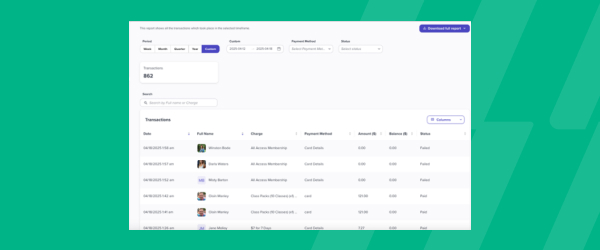

Updated Transaction Reports
The Transactions Report gives studios a full record of every charge, refund, and failed payment that runs through Glofox, and it’s easy to export as a CSV for whatever spreadsheet tool your business runs on. Each row captures the details you need for bookkeeping, including the date and time, the client and staff member involved, what was purchased, the payment method, and the amount charged, with refunds shown as negative values so you can sum the amount column for a clean revenue total. If your studio uses Glofox Payments, the report goes further, adding fees, net payout amount, and the payout date and ID for each transaction, so you can match what’s in the report to what actually lands in your bank account. You can filter the report to any custom date range, which makes it useful for anything from a quick daily check to a full month end close. Tax is broken out by column as well, covering both a total tax figure and any additional regional taxes you’ve configured. For owners and bookkeepers, it turns reconciliation from a guessing game into a straightforward line by line match.