






Apply Discounts to Active Memberships
Discounts on Active Memberships lets staff apply a discount directly to a member’s existing membership, not just at the point of signup. A well-timed discount, for a referral, a membership anniversary, or a member who’s starting to drift, can be the difference between a canceled membership and a loyal one.
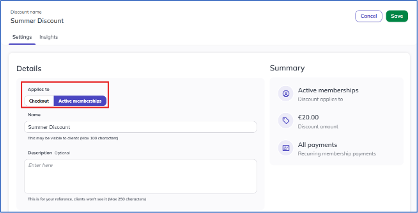
From a member’s profile, staff open the Membership tab, select Add discount from the Actions menu, and choose a discount type, percentage or fixed amount, and a duration, all future payments or a set number of payments, along with an Applies to setting of either Checkout or Active Memberships. Once applied to an active membership, the discount takes effect automatically starting the member’s next scheduled payment, with nothing to adjust by hand and no risk of it slipping through. Active membership discounts are staff-applied only and don’t support promo codes, and every application is logged with the staff member’s name, date, and time for a clear audit trail.
This gives studios a direct, in-the-moment way to reward loyalty and step in before an at-risk member cancels, without waiting for a new checkout.