







Booking Link Settings
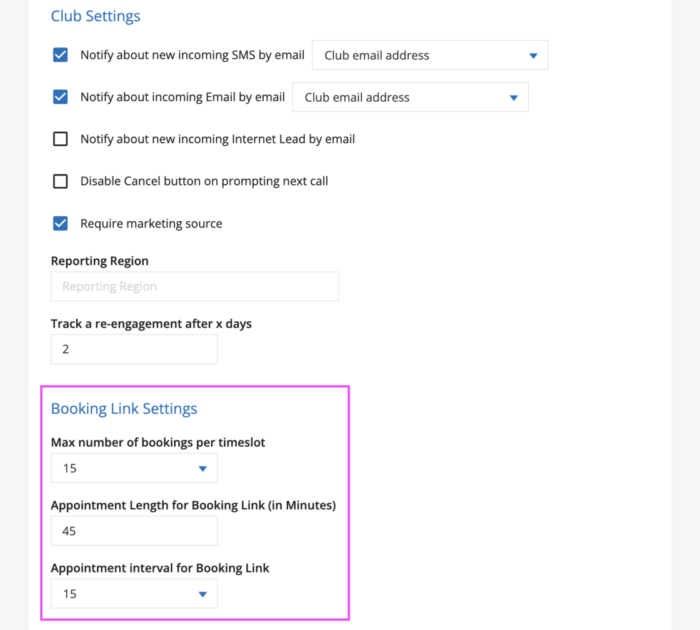
The Booking Link Settings section in Company Settings lets you control how appointments booked through the Online Scheduler are configured, including the following customization options:
- How many bookings can be made per timeslot
- The default length of booked appointments
- The time intervals on which appointments can be booked
Thesesettings are accessible to users with the Club Manager or Regional Manager role. These can be configured within your GymSales Company Settings on the General Settings tab.
Open your Company Settings and on the General Settings tab, look for the section titled Booking Link Settings.
Good to know
The Appointment Length and Appointment Interval settings only affect your Online Scheduler link settings. They don’t change your GymSales Calendar settings (Default appointment length and Time step in minutes), found under Company Settings > General Settings > Working Time.
If you want to change how Appointments behave on your internal GymSales Calendar view, use those settings instead.