








Product Updates
Track the evolution of our platform. Filter by release type, product, or timeline to find exactly what you’re looking for.

ABC Insights for Glofox
ABC’s flagship reporting product, ABC Insights, is now available to Glofox customers. Owners running multiple locations can use its centralized dashboards to compare performance across every studio or gym in one place. That makes it easier to spot what’s working and what isn’t, rather than piecing together numbers location by location. For multi-site operators, it… <a class="more-link" href="https://abcfitness.com/?post_type=release_update&p=28797">Continue reading <span class="screen-reader-text">ABC Insights for Glofox</span></a>
ABC Insights for Glofox
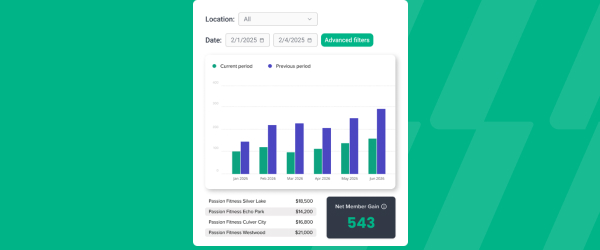
ABC’s flagship reporting product, ABC Insights, is now available to Glofox customers. Owners running multiple locations can use its centralized dashboards to compare performance across every studio or gym in one place. That makes it easier to spot what’s working and what isn’t, rather than piecing together numbers location by location. For multi-site operators, it turns scattered performance data into a single, clear view for making smarter business decisions.

Short Term Passes
Clubs can now sell flexible access passes for 1 to 30 days, capturing revenue from travelers and short-term visitors with no long-term commitment, and opening a path to convert them into long-term members.
Short Term Passes
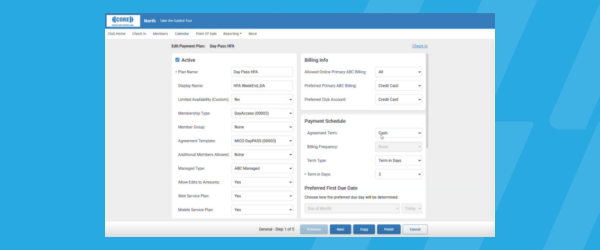
Clubs can now sell flexible access passes for 1 to 30 days, capturing revenue from travelers and short-term visitors with no long-term commitment, and opening a path to convert them into long-term members.

AI Workout Builder (Beta)
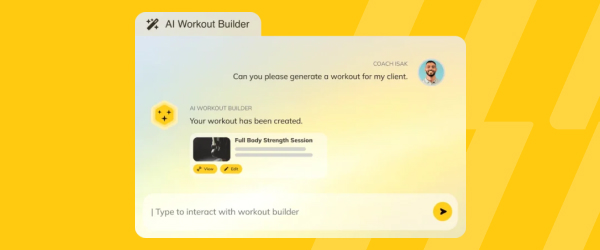
Spend more time coaching and less time programming. AI Workout Builder gets you a personalized, ready-to-assign workout in minutes—built from your client’s real goals, history, and progress. Just type a prompt and it’s built right inside Trainerize.
AI Workout Builder (Beta)
Spend more time coaching and less time programming. AI Workout Builder gets you a personalized, ready-to-assign workout in minutes—built from your client’s real goals, history, and progress. Just type a prompt and it’s built right inside Trainerize.
Offer Free Classes
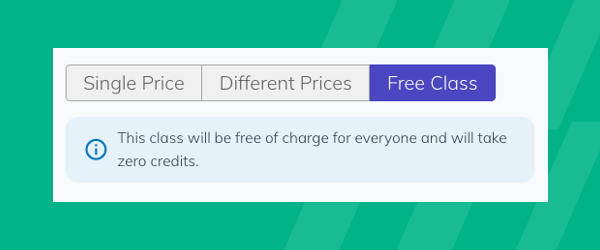
A new Free Class toggle lets you offer $0 community or trial sessions with no manual adjustments, so you fill spots, generate leads, and grow engagement.
Offer Free Classes
Glofox now includes a Free Class toggle that lets studios make any class in the schedule free to book, for members, leads, and pay as you go clients alike.
It is built for studios running community sessions, open houses, or trial classes, where the goal is to fill the room rather than collect payment, without staff having to manually zero out the price or adjust checkout every time. Because the toggle is set at the class level, staff can turn a specific session free without changing pricing anywhere else in the schedule or membership plans. This makes it easier to run recurring trial classes or community events as a standing part of the schedule rather than a one off manual workaround.
For studios focused on lead generation, offering a genuinely free class removes friction for new leads to walk through the door, while still tracking that booking like any other class attendance. It is a straightforward way to turn open capacity into engagement and new leads without extra administrative steps.
XLerate Workflow – Total Visits Milestone
Celebrate member milestones from their 5th to 500th session with automated, personalized messages and staff reminders to reward or shout them out.

XLerate Workflow – Total Visits Milestone
XLerate, Glofox’s library of automated workflows, includes a Total Visits Milestone workflow that recognizes members automatically as they hit key session counts, from an early 5th visit through long term milestones like a 500th session.
It is built for studios that want to celebrate member consistency without staff having to manually track who is coming up on a milestone, since the workflow triggers on its own once a member crosses the threshold. Members get a personalized automated message marking the occasion, while staff receive a reminder so they can add a personal touch, like a shoutout in class or a small reward, on top of the automated message.
This sits alongside other XLerate workflows covering things like membership renewals, cart abandonment, and member expiration, giving studios a consistent way to automate retention touchpoints across the member lifecycle.
For owners focused on retention, recognizing visit milestones is a simple way to reinforce habits and make long term members feel seen, without adding another task to staff’s daily list.
View Tags on Booking Lists
Tags from a member's profile, like injuries, goals, or preferences, now appear right in booking lists on the Glofox Dashboard, giving instructors clearer context.

View Tags on Booking Lists
Tags in Glofox are custom labels studios create to flag important client information, such as an injury, a goal, a belt level in martial arts, or VIP status, and they now appear directly on booking lists on the Glofox dashboard as well as in the Pro App.
Tags can be created and applied either from the dedicated Tags page under Connect, or right on a client’s profile if the tag does not already exist, making it easy to build a tagging system that matches how a specific studio operates. When staff open a booked class, course, appointment, or facility slot, they can now see the tags applied to everyone booked in, without clicking into each individual profile first.
This gives instructors and front desk staff useful context before a session starts, like knowing a client is recovering from an injury or is new to a particular class format. It turns information that used to live only on a client’s profile into something visible at the point staff actually need it, right before they interact with that member.
The result is a more personalized interaction without extra lookup steps for staff.
Filter Appointment Types in Member App
Members can filter appointments by type or name in the Glofox Member App, making it faster to find and book personal training sessions and other offerings.
Filter Appointment Types in Member App
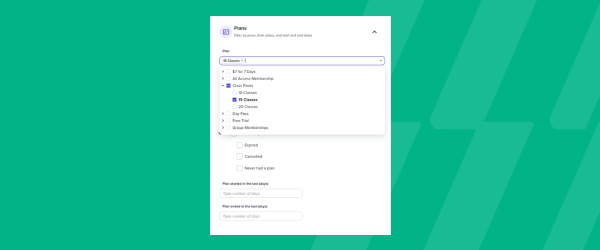
The Glofox Member App lets members browse and book classes, courses, and appointments, and it now includes filters that let them narrow appointments by type or by name before booking.
This is aimed at studios offering multiple kinds of one on one sessions, such as personal training alongside other appointment based services, where a long unfiltered list makes it harder for members to find what they are looking for. Filters can also take trainer and time of day into account, so a member looking for a specific type of session with a specific trainer can get there faster.
Because the appointments shown are tied to the trainer availability set up on the dashboard, members only see slots that are actually bookable, avoiding the frustration of picking a time that is not really open.
For studios running a busy personal training or appointment based business, this cuts down on back and forth with front desk staff just to find the right session to book. It is a small addition to the Member App experience that removes friction right at the point of booking.