







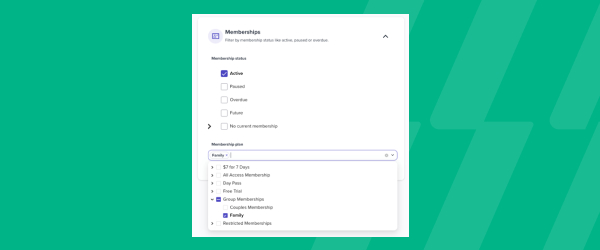

New Audiences Filter – Membership Plan
Custom Audiences now let you segment members by the specific membership plan they’re on, not just whether they have an active or expired membership. From the Audience tab, click Create Audience and filter by plan alongside the other criteria already available, like lead type, lead source, visit count, or tags. That opens up messaging you couldn’t easily target before, such as a VIP communication for your premium plan holders, an upsell campaign aimed at members on a lower tier, or a plan-specific update that only applies to one group. Once built, the audience previews how many customers currently qualify, so you know your reach before you send anything. From there, you can use it directly in Connect > Campaigns to send a one-off email to exactly that group. For studios running multiple membership tiers, it means every campaign can speak to the plan a member is actually on instead of a one-size-fits-all message.