








Product Updates
Track the evolution of our platform. Filter by release type, product, or timeline to find exactly what you’re looking for.

ABC Insights for Glofox
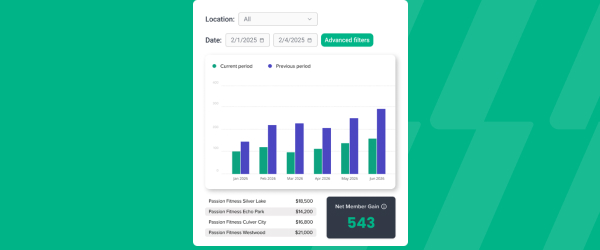
ABC’s flagship reporting product, ABC Insights, is now available to Glofox customers. Owners running multiple locations can use its centralized dashboards to compare performance across every studio or gym in one place. That makes it easier to spot what’s working and what isn’t, rather than piecing together numbers location by location. For multi-site operators, it… <a class="more-link" href="https://abcfitness.com/?post_type=release_update&p=28797">Continue reading <span class="screen-reader-text">ABC Insights for Glofox</span></a>
ABC Insights for Glofox
ABC’s flagship reporting product, ABC Insights, is now available to Glofox customers. Owners running multiple locations can use its centralized dashboards to compare performance across every studio or gym in one place. That makes it easier to spot what’s working and what isn’t, rather than piecing together numbers location by location. For multi-site operators, it turns scattered performance data into a single, clear view for making smarter business decisions.

Short Term Passes
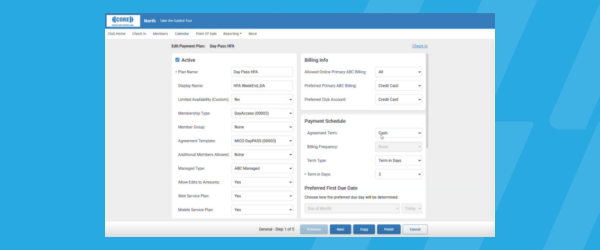
Clubs can now sell flexible access passes for 1 to 30 days, capturing revenue from travelers and short-term visitors with no long-term commitment, and opening a path to convert them into long-term members.
Short Term Passes
Clubs can now sell flexible access passes for 1 to 30 days, capturing revenue from travelers and short-term visitors with no long-term commitment, and opening a path to convert them into long-term members.

AI Workout Builder (Beta)
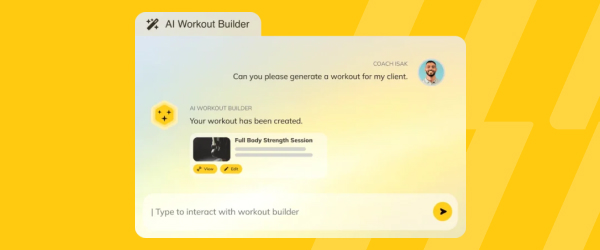
Spend more time coaching and less time programming. AI Workout Builder gets you a personalized, ready-to-assign workout in minutes—built from your client’s real goals, history, and progress. Just type a prompt and it’s built right inside Trainerize.
AI Workout Builder (Beta)
Spend more time coaching and less time programming. AI Workout Builder gets you a personalized, ready-to-assign workout in minutes—built from your client’s real goals, history, and progress. Just type a prompt and it’s built right inside Trainerize.
API: Overdue Invoices and Payment Links
Members can now see their overdue subscription invoices and get a secure payment link to pay them, all through a self-serve API flow built for member-facing apps.
API: Overdue Invoices and Payment Links
The Overdue Invoices and Payment Links API lets developers build self-serve payment recovery directly into a member-facing app or portal.
A member’s overdue subscription invoices can be listed in a single call, sorted by due date with the most recent shown first, so members can see exactly what they owe without contacting the studio. For any invoice that’s eligible to be paid this way, typically a past-due subscription invoice or a pending flexible invoice where flexible payment links are enabled, the API returns a secure payment link along with the invoice amount, currency, and a human-readable summary, so members can complete payment in a couple of taps.
This gives studios and their integration partners a way to recover overdue revenue without manual follow-up, while keeping the payment experience entirely self-serve for the member.
API: Payment Collector
A secure, PCI-compliant API for collecting, storing, and managing a member's payment methods, without your integration ever handling raw card or bank details directly.
API: Payment Collector
The Payment Collector API gives developers a secure way to collect, store, and manage a member’s payment methods without their application ever handling sensitive card or bank details directly.
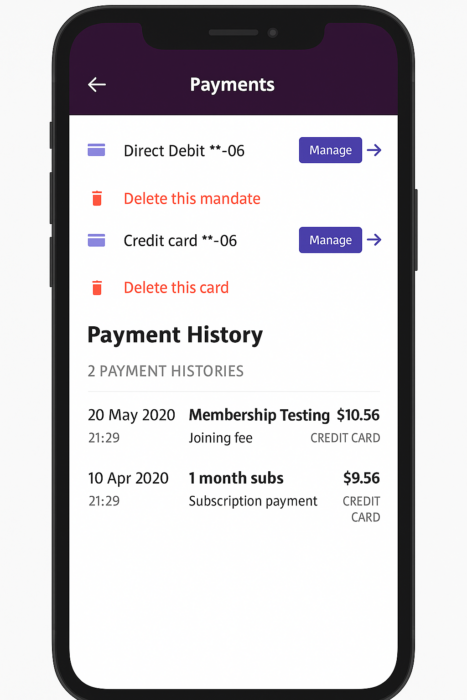
Payment information is captured through a secure iframe, so sensitive data never touches your servers, helping you meet Payment Card Industry Data Security Standard requirements without building your own tokenization layer. The API supports two flows: the payment method collector, which tokenizes and stores a card or direct debit mandate for a later purchase, and the checkout payment collector, which collects payment and completes a cart purchase in a single step, including support for Google Pay, Apple Pay, and local payment methods such as Blik in Poland.
Developers can also retrieve a member’s stored cards, debit mandates, and full payment history through the same set of endpoints. This is especially useful for custom booking flows, membership signup pages, or point-of-sale integrations that need to collect payment without routing sensitive data through their own infrastructure.
Apply Discounts to Active Memberships
A well-timed discount, for a referral, an anniversary, or a member who's starting to drift, can be the difference between a canceled membership and a loyal one. Staff can now apply a discount directly to an active membership instead of only at checkout.
Apply Discounts to Active Memberships
Discounts on Active Memberships lets staff apply a discount directly to a member’s existing membership, not just at the point of signup. A well-timed discount, for a referral, a membership anniversary, or a member who’s starting to drift, can be the difference between a canceled membership and a loyal one.
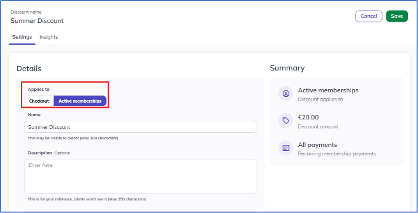
From a member’s profile, staff open the Membership tab, select Add discount from the Actions menu, and choose a discount type, percentage or fixed amount, and a duration, all future payments or a set number of payments, along with an Applies to setting of either Checkout or Active Memberships. Once applied to an active membership, the discount takes effect automatically starting the member’s next scheduled payment, with nothing to adjust by hand and no risk of it slipping through. Active membership discounts are staff-applied only and don’t support promo codes, and every application is logged with the staff member’s name, date, and time for a clear audit trail.
This gives studios a direct, in-the-moment way to reward loyalty and step in before an at-risk member cancels, without waiting for a new checkout.
Built-In Stripe Dispute Management
Submitting the right evidence before the deadline is the single biggest factor in winning a payment dispute and getting a member's money back, and that's hard to do well from a separate platform. Operators using Stripe can now view and respond to disputes directly inside Glofox.
Built-In Stripe Dispute Management
Stripe payment disputes are time-sensitive, and submitting the right evidence before the deadline is the single biggest factor in winning a dispute and getting the member’s money back. Managing that process previously meant emailing evidence back and forth with payment operations, since customers never had direct access to a Stripe dashboard.
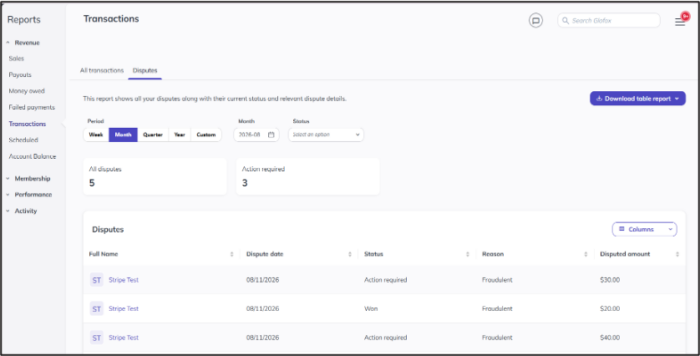
Stripe Dispute Management brings the full dispute workflow inside the Dashboard instead. Operators can see the disputed amount, the stated reason, and the response timeline alongside the member’s Glofox payment history in one view, then respond to the dispute or accept it without leaving the product.
This removes the friction of routing evidence through email during a time-sensitive window and reduces the risk of missing a deadline because the request was buried in someone’s inbox.
Available automatically for all customers using Stripe payments.
First Booking Workflow
A new member's highest point of intent is the moment they book their first class, and it passes quickly if no one reaches out. Studios can now trigger an automated follow-up the instant that first booking happens.
First Booking Workflow
A member who has just committed to a class is in their highest-intent state, and that window closes fast.
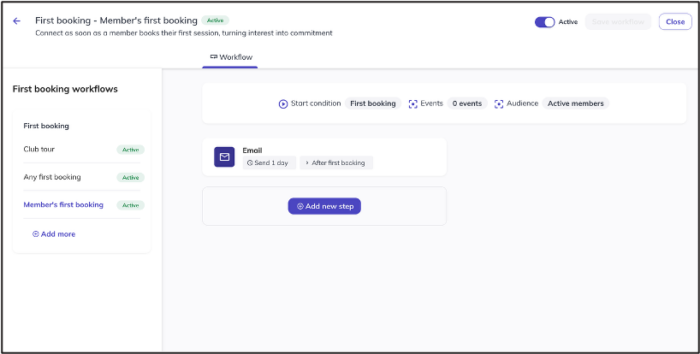
The First Booking Workflow triggers an automated message the moment a member places their first booking ever with a location, meeting them right at that peak. The workflow supports email, SMS, push notifications, and staff tasks, so studios can reach members on the channel they’re most likely to respond to. A welcome message before the first visit sets expectations, reduces no-shows, and starts the relationship on a positive note.
For studios already using the First Attendance workflow, the two can be combined to build a complete onboarding journey: one message when the member books, a second when they check in, both firing automatically without manual follow-up.
Available on request for customers on Elite plans or with the XLerate Add-on.
Push Updates to Deleted Classes and Memberships from HQ (Enterprise Only)
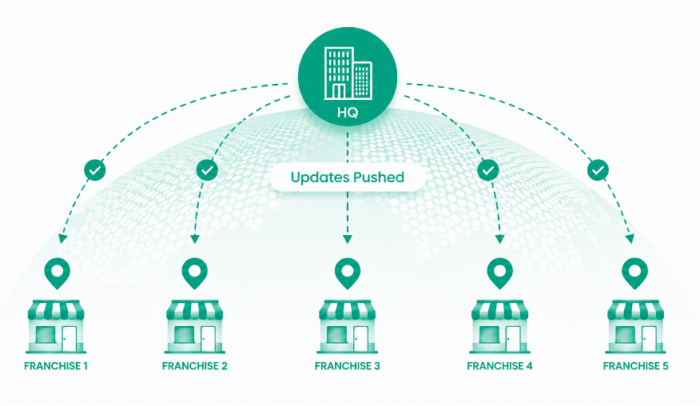
A rebrand or terminology update shouldn't take 30-40 hours of manual restore-update-delete work just because some records were deleted. HQ admins can now push field updates to deleted class and membership records directly, without restoring them first.
Push Updates to Deleted Classes and Memberships from HQ (Enterprise Only)
A franchise or multi-location rebrand should be a single action, not an hours-long chore.
Previously, when HQ pushed a terminology or field update, deleted classes and memberships at target locations were skipped. If those records were later restored, they surfaced old branding, and the only workaround was to manually restore each record, apply the update, and delete it again, an approach that could take 30-40 hours of manual work on large rebrands. This update removes that workaround entirely.
From the HQ Dashboard or via Desk, admins can now select deleted entities when pushing a bulk update, and those records are updated in place without restoration. The toggle defaults to off, so existing behavior is unchanged for operators who don’t need it. For those who do, the result is a faster, safer rebrand process with no risk of a deleted record resurfacing stale content later.
Available for all enterprise customers.
Studio Admin Control: Private Membership Toggle
A promotion that has to wait on HQ often launches after the moment has passed. Studio Admins can now activate a private membership themselves, right from the Services page, so the offer goes live the moment it needs to.
Studio Admin Control: Private Membership Toggle
A promotion that has to wait on HQ to flip a switch often launches after the moment it was meant for has passed.
Studio Admins can now toggle private memberships on and off themselves, giving locations faster, self-serve control over their own promotional memberships instead of a recurring dependency on HQ. From the Services page, a Studio Admin selects a private membership and finds the toggle available directly under their own login.
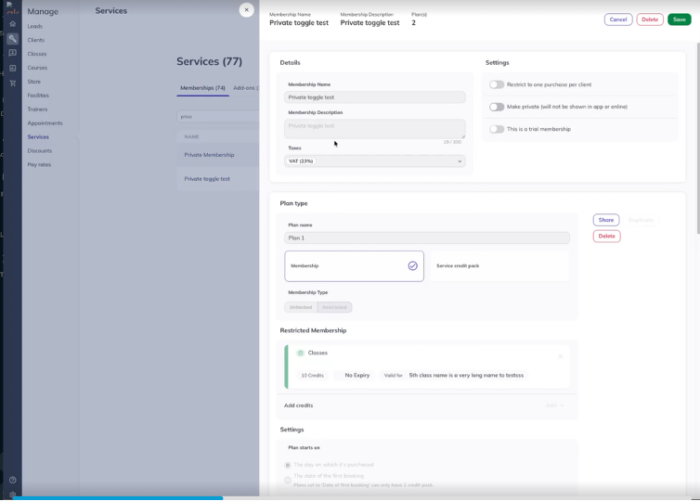
The rest of the Services page stays read-only, so the change is scoped precisely to membership visibility, and permission is managed at role level so operators choose which roles get access. Available by support request.