







Product Updates
Track the evolution of our platform. Filter by release type, product, or timeline to find exactly what you’re looking for.

ABC Insights for Glofox
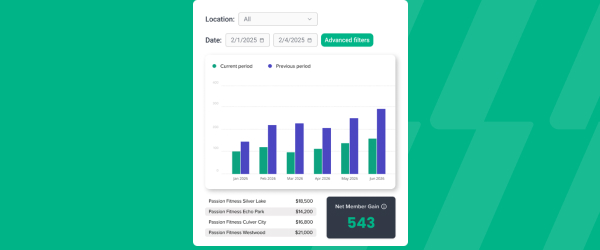
ABC’s flagship reporting product, ABC Insights, is now available to Glofox customers. Owners running multiple locations can use its centralized dashboards to compare performance across every studio or gym in one place. That makes it easier to spot what’s working and what isn’t, rather than piecing together numbers location by location. For multi-site operators, it… <a class="more-link" href="https://abcfitness.com/?post_type=release_update&p=28797">Continue reading <span class="screen-reader-text">ABC Insights for Glofox</span></a>
ABC Insights for Glofox
ABC’s flagship reporting product, ABC Insights, is now available to Glofox customers. Owners running multiple locations can use its centralized dashboards to compare performance across every studio or gym in one place. That makes it easier to spot what’s working and what isn’t, rather than piecing together numbers location by location. For multi-site operators, it turns scattered performance data into a single, clear view for making smarter business decisions.

Short Term Passes
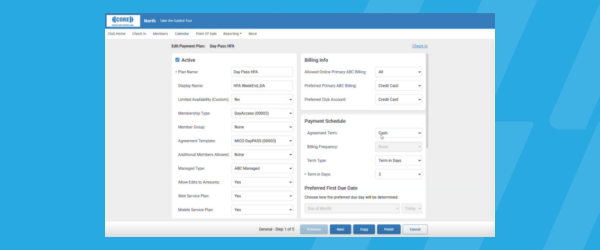
Clubs can now sell flexible access passes for 1 to 30 days, capturing revenue from travelers and short-term visitors with no long-term commitment, and opening a path to convert them into long-term members.
Short Term Passes
Clubs can now sell flexible access passes for 1 to 30 days, capturing revenue from travelers and short-term visitors with no long-term commitment, and opening a path to convert them into long-term members.

AI Workout Builder (Beta)
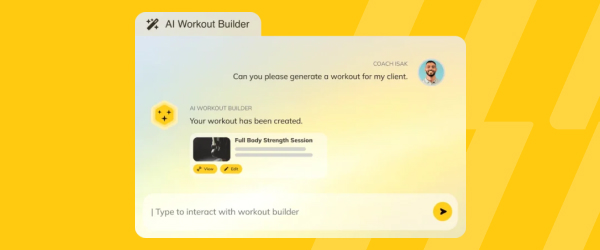
Spend more time coaching and less time programming. AI Workout Builder gets you a personalized, ready-to-assign workout in minutes—built from your client’s real goals, history, and progress. Just type a prompt and it’s built right inside Trainerize.
AI Workout Builder (Beta)
Spend more time coaching and less time programming. AI Workout Builder gets you a personalized, ready-to-assign workout in minutes—built from your client’s real goals, history, and progress. Just type a prompt and it’s built right inside Trainerize.
Total Usage on Discount Codes
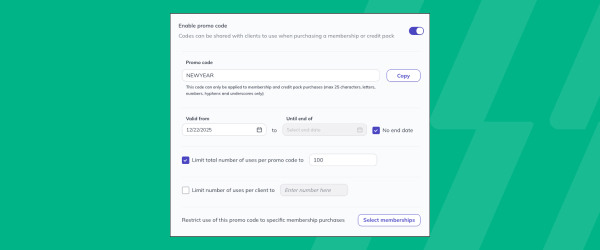
Set a total usage limit on discount codes so promotions expire automatically after a set number of redemptions, giving you built-in scarcity and revenue control during flash sales.
Total Usage on Discount Codes
Discount codes in Glofox can now be capped with a total usage limit, so a promotion automatically stops working once it has been redeemed a set number of times, on top of the existing option to limit how many times any one member can use a code.
This is built for studios running flash sales or limited time offers, where the goal is to create genuine urgency and control cost rather than let a code circulate indefinitely. Because the limit is enforced automatically, staff do not need to manually track redemptions or remember to deactivate a code once a promotion has run its course. It also protects revenue during high traffic promotions, since a studio can offer a meaningful discount to drive signups without the risk of unlimited redemptions eating into margin.
For studios that run seasonal or event based promotions, this turns a manual, easy to forget process into a set and forget control built into the discount code itself.
Bookings and Attendance Audience Filters
Build smarter member audiences from real class bookings and attendance, with flexible frequency and time-range controls for more precise targeting.
Bookings and Attendance Audience Filters
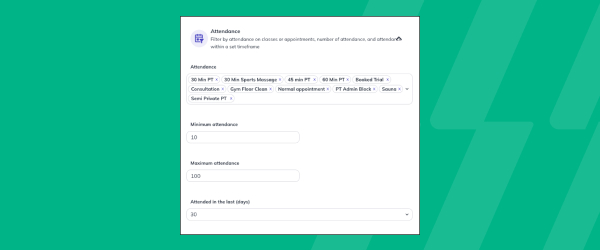
Client Filters on the Glofox dashboard let studios build precise member lists based on real booking and attendance data, accessible from the Manage icon and the Client tab using the Add Filters dropdown.
Bookings filters can surface members who have not booked in a set number of days, helping staff spot people at risk of churning before they disappear entirely, while attendance filters can identify members hitting milestones, like their 100th class, or those who have attended a high number of classes in a recent window.
Filters can also be combined with membership status, such as active, paused, or no membership, along with credits remaining and home studio for multi location businesses with roaming enabled. Once a filtered list is built, staff can download it as a CSV or send an SMS directly to that group, turning a filter into an action without extra steps.
This gives studios a way to target outreach with real behavioral data rather than guessing who needs a check in call or who deserves recognition for their consistency. For retention and engagement efforts, that precision means messages reach the right members at the right moment instead of going out to everyone.
Edit Appointments in Pro App
Instructors and staff can edit or reschedule appointments right in the Pro App, managing their day and making quick updates from anywhere, no desk required.

Edit Appointments in Pro App
Instructors and staff can now edit or reschedule appointments directly in the Pro App, without needing to be at a front desk computer.
That means schedule changes can happen from anywhere, whether they’re on the gym floor, between sessions, or off site. Managing a busy day gets easier when quick updates don’t require stepping away to find a desk.
It’s a small shift that gives staff more flexibility and members faster responses when appointment changes come up.
Pro App Translations
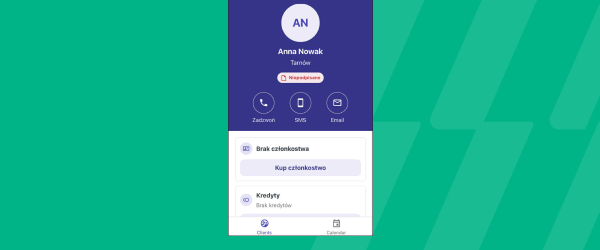
The Pro App now supports the same 17+ languages available on the Dashboard and Member App.
Pro App Translations
The Pro App now supports the same 17+ languages already available on the Dashboard and Member App.
That means instructors and staff can work in the Pro App in whichever language they’re most comfortable with, rather than being limited to one option. Consistent language support across the Dashboard, Member App, and Pro App makes the whole platform more accessible for multilingual teams.
It’s a straightforward way to make sure every staff member can use Glofox with confidence, wherever they’re based.
View and Bulk Update Tags
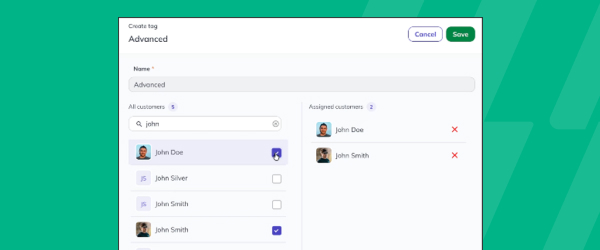
See every client or lead assigned to a specific tag, and add or remove multiple clients in bulk right from the Tags page.
View and Bulk Update Tags
Staff can now see every client or lead assigned to a specific tag in one place, right from the Tags page. From there, they can add or remove multiple clients in bulk, instead of updating tags one profile at a time. That saves time for teams managing large client lists or running targeted campaigns based on tags.
It’s a more efficient way to keep client segmentation accurate and up to date without manual, one by one edits.