







Product Updates
Track the evolution of our platform. Filter by release type, product, or timeline to find exactly what you’re looking for.

ABC Insights for Glofox
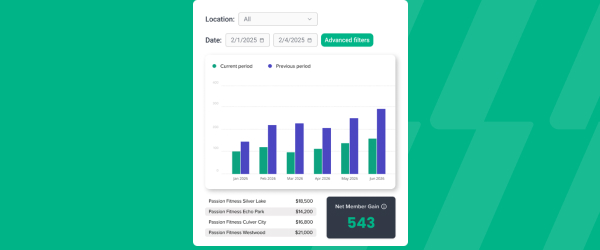
ABC’s flagship reporting product, ABC Insights, is now available to Glofox customers. Owners running multiple locations can use its centralized dashboards to compare performance across every studio or gym in one place. That makes it easier to spot what’s working and what isn’t, rather than piecing together numbers location by location. For multi-site operators, it… <a class="more-link" href="https://abcfitness.com/?post_type=release_update&p=28797">Continue reading <span class="screen-reader-text">ABC Insights for Glofox</span></a>
ABC Insights for Glofox
ABC’s flagship reporting product, ABC Insights, is now available to Glofox customers. Owners running multiple locations can use its centralized dashboards to compare performance across every studio or gym in one place. That makes it easier to spot what’s working and what isn’t, rather than piecing together numbers location by location. For multi-site operators, it turns scattered performance data into a single, clear view for making smarter business decisions.

Short Term Passes
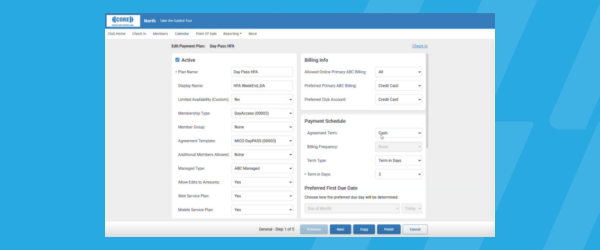
Clubs can now sell flexible access passes for 1 to 30 days, capturing revenue from travelers and short-term visitors with no long-term commitment, and opening a path to convert them into long-term members.
Short Term Passes
Clubs can now sell flexible access passes for 1 to 30 days, capturing revenue from travelers and short-term visitors with no long-term commitment, and opening a path to convert them into long-term members.

AI Workout Builder (Beta)
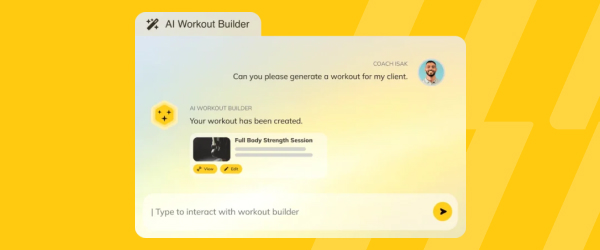
Spend more time coaching and less time programming. AI Workout Builder gets you a personalized, ready-to-assign workout in minutes—built from your client’s real goals, history, and progress. Just type a prompt and it’s built right inside Trainerize.
AI Workout Builder (Beta)
Spend more time coaching and less time programming. AI Workout Builder gets you a personalized, ready-to-assign workout in minutes—built from your client’s real goals, history, and progress. Just type a prompt and it’s built right inside Trainerize.
Updated Cancellation Flow
Members can cancel memberships and add-ons directly in the app, without picking up the phone or sending an email. For front desk and admin staff, that means fewer manual cancellation requests to process and fewer back and forth exchanges. It also helps studios and gyms stay aligned with consumer protection regulations that require self-service cancellation… <a class="more-link" href="https://abcfitness.com/?post_type=release_update&p=29174">Continue reading <span class="screen-reader-text">Updated Cancellation Flow</span></a>

Updated Cancellation Flow
Members can cancel memberships and add-ons directly in the app, without picking up the phone or sending an email. For front desk and admin staff, that means fewer manual cancellation requests to process and fewer back and forth exchanges. It also helps studios and gyms stay aligned with consumer protection regulations that require self-service cancellation options. The result is a smoother, more transparent experience for members and less administrative overhead for your team.
New XLerate Workflows
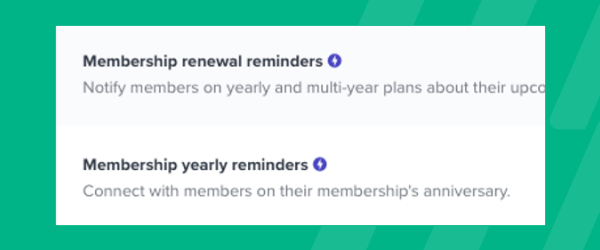
Add new steps, like messages or task reminders, to the XLerate "Leads" workflow that trigger instantly, so you respond faster to newly registered leads without disturbing existing steps.
New XLerate Workflows
Sales and front desk teams can now add new steps, like messages or task reminders, to the XLerate Leads workflow that trigger instantly.
That means a newly registered lead gets a faster response the moment they enter the pipeline, instead of waiting on delayed follow up. Existing workflow steps stay untouched, so teams can layer in instant triggers without rebuilding what’s already working.
Faster first contact with leads helps studios and gyms convert more interest into signups before it goes cold.
New Audiences Filter – Tags
Build highly personalized audiences with the Tags feature, segmenting by skill level, goals, or any custom attribute to send exclusive messages.
New Audiences Filter – Tags
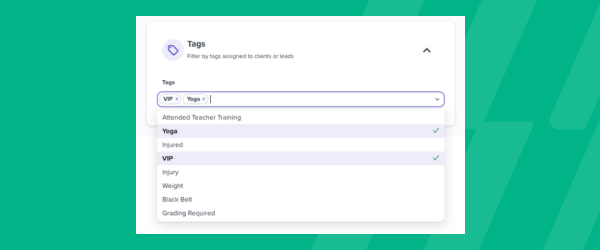
Custom Audiences can now be filtered by Tags, connecting Glofox’s tagging feature directly to how you segment and message your community.
If you’ve tagged members by skill level, fitness goals, VIP status, or any other custom attribute your studio tracks, you can now build an audience around that tag specifically, alongside filters like lead type, lead source, and number of visits. That makes it possible to send genuinely exclusive messages, such as a class invite limited to advanced members, a check-in aimed at anyone tagged as a beginner, or an offer reserved for VIP tagged clients. To build one, go to the Audience tab, click Create Audience, add the Tags filter along with anything else you want to combine it with, and save. The audience preview shows how many customers qualify before you commit to anything.
For studios that have already invested time tagging their community, it turns that groundwork into sharper, more relevant campaigns.
Upgraded Audiences Filter – Memberships to Plans
Custom audiences can now be built around credit packs and credit pack status, not just fixed-term or month-to-month memberships.
Upgraded Audiences Filter – Memberships to Plans
Custom Audiences have been upgraded to filter by plan rather than just membership type, which means credit packs and their status are now part of what you can segment around, not only fixed-term or month-to-month memberships.
From the Audience tab, click Create Audience and choose the plan-based filter alongside the others already available, such as lead source, number of visits, or tags. That matters for any studio selling credit packs, since you can now build a group around, for example, clients running low on credits or sitting on an expired pack, rather than treating every non-membership client the same way. As with any audience, the panel shows you the exact filters used to build it and a live count of who currently qualifies. Once saved, the audience is ready to use in a one-off email campaign from Connect > Campaigns.
For studios that rely on credit-based pricing alongside traditional memberships, it closes a gap in how precisely you could target that part of your customer base.
New Audiences Filter – Plan Start and End Dates
Create audiences based on when a plan started or ended, opening up campaigns like seasonal kickoffs, targeted win-backs, and rate protection window notices.
New Audiences Filter – Plan Start and End Dates
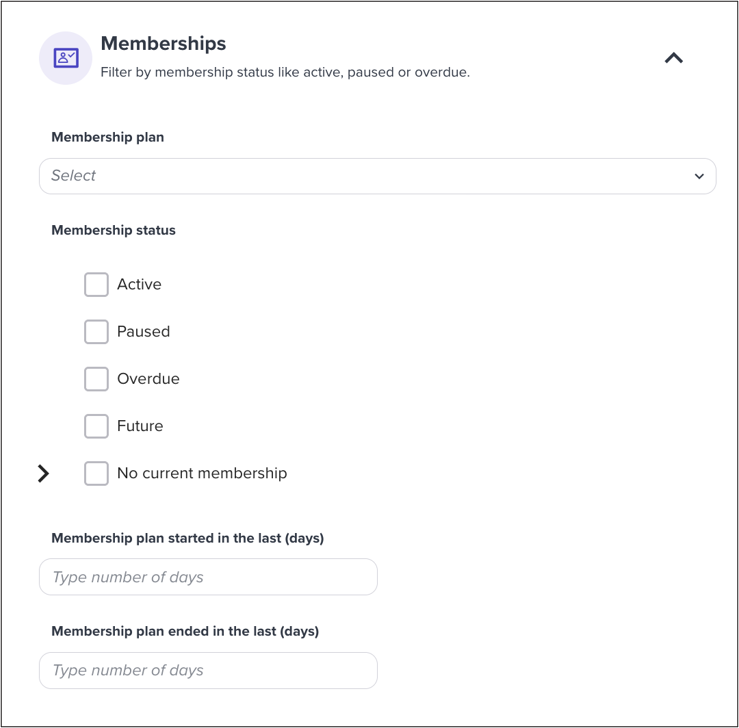
Custom Audiences can now be filtered by when a member’s plan started or ended, giving you a way to target campaigns around specific dates rather than just current status.
Build one from the Audience tab by clicking Create Audience and adding a plan start or end date filter alongside anything else you want to combine it with, like tags or visit count. That opens up campaigns that were harder to run before, such as a seasonal kickoff message to everyone who joined around the same time last year, a targeted win-back to members whose plans ended in a specific window, or a notice to members approaching the end of a rate protection period. As with other audiences, you’ll see a preview of how many customers currently match before you save it. From there, the audience is ready to use directly in a one-off email campaign.
For studios running date-sensitive promotions or renewal windows, it turns a calendar-based campaign idea into something you can actually build and send.
Email Class Registrants from the Pro App
Staff can email class registrants on the go, keeping communications in the app instead of personal inboxes, so every touchpoint stays logged and secure.
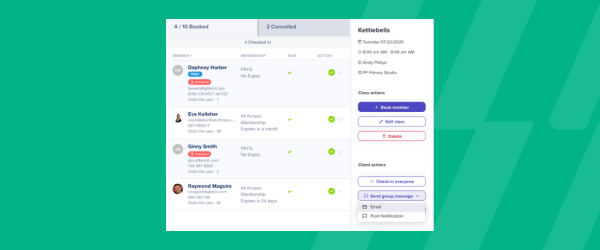
Email Class Registrants from the Pro App
Glofox Pro is the mobile app built for gym and studio staff to run daily operations from the floor, and it now lets you email every registrant in a class straight from the Schedule tab.
Instead of pulling together a personal contact list or texting members from a personal phone, staff can message a full class roster in a couple of taps before or after a session. Every email sent this way is logged inside Glofox rather than a personal inbox, so studios keep a complete, secure record of what was communicated and to whom.
That matters for owners who need consistency across shifts, since any staff member can see the history rather than relying on one instructor’s memory. The feature sits alongside the existing ability to view, edit, and check clients into classes from the same app, so communication becomes part of the normal class management flow rather than a separate task.
It is available on Glofox Pro across plans, helping studios keep every touchpoint tracked without adding admin work.
Hide Trainer Last Names
Choose to show members abbreviated trainer names, like "Steph C." instead of "Steph Campbell," for added privacy.
Hide Trainer Last Names
Owners can choose to display trainer names to members in an abbreviated format, such as “Steph C.” instead of a full last name. This gives instructors and staff an added layer of privacy while still keeping their identity clear to members booking classes or sessions. It’s a small setting change that lets studios and gyms balance transparency with staff comfort. Trainers get more control over how much personal information is visible to the client base.
Report Upgrades – Active Credit Packs Report
The Active Credit Packs report now has a cleaner layout, faster load times, and customizable tables.
Report Upgrades – Active Credit Packs Report
The Active Credit Packs Report, found in the Reports section of the Glofox dashboard, has been rebuilt with a cleaner layout and faster load times so studios can check credit pack usage without waiting on a slow table to render.
The report gives owners and managers visibility into which members are sitting on active credit packs, useful for spotting who is close to running out of credits or who has a pack nearing expiry. With the update, the table itself is now customizable, so staff can adjust which columns are shown to match how their studio tracks credits, rather than scrolling through a fixed layout built for every business type. Faster performance also matters for larger studios and multi location gyms with bigger client bases, where reports have historically slowed down as data grows.
Overall, this update keeps the report doing the same core job, tracking active credit packs, while making it quicker and easier to work with day to day.